
Security Manifest
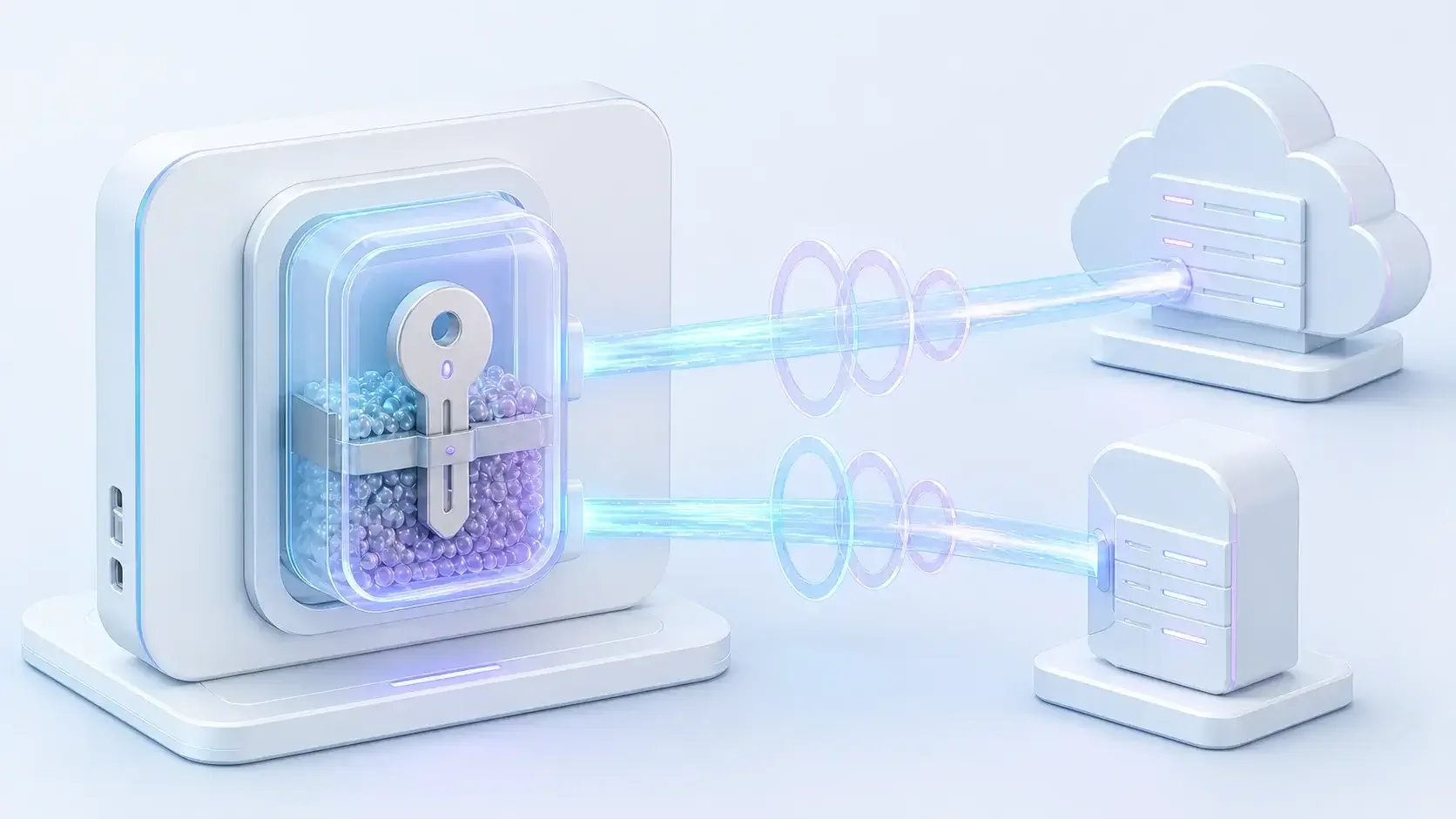

At ASO.dev, we understand how important it is for you to keep your data confidential and to work with tools you can truly trust. We aim to provide convenient tools for App Store Connect and Google Play while maintaining the highest level of security.
ASO.dev is built on three principles:
- Control. Keys and access stay in your hands. A key leaves your device only when you decide to share it.
- Transparency. Clear rules and a plain account of what we store and what we can read. No hidden grey areas.
- Flexibility. You decide how and with whom to share access, and we give you the tools to do it.
Below, we show step by step how these principles work, from getting started without store access to the information your security team needs.
Voluntary Usage
Section titled “Voluntary Usage”Without an API Key
Section titled “Without an API Key”You can work in ASO.dev without API keys or a store connection. Today this is available for the App Store. Add your app’s link to a workspace without an API key, and you can:
- do keyword research and market analysis;
- analyze competitors;
- edit metadata locally and export it for publishing with fastlane.
Google Play doesn’t have tools based on public data yet. Its tools, first of all store listing editing, require connected access.
Working With Public Data
Section titled “Working With Public Data”For ASO work in the App Store, ASO.dev collects publicly available app information itself: metadata, keyword rankings and more. The collection runs on our servers, not on your device, and doesn’t involve your personal information. We never ask you for unnecessary data.
With Store Access: Extended Functionality
Section titled “With Store Access: Extended Functionality”You need access when you want to work with the store directly: publish changes or reply to reviews. The level of access depends entirely on you and the permissions you grant.
Flexible Access System
Section titled “Flexible Access System”ASO.dev consists of independent parts. Each has its own kind of access, and you turn it on only when you need it. The parts live separately: none of them is enabled automatically along with another.
| Store | Part | What it is used for | Where the access is stored |
|---|---|---|---|
| App Store | App Store Connect API key | Managing apps in the App Store | On your device. Synced only if you choose to |
| App Store | App-specific password | Metrics, review reports, messages with App Review | Only on your device |
| App Store | Developer Portal | Apple agreements, the first app and Bundle ID, bank details | Only on your device |
| Google Play | Google account or service account | Managing apps in Google Play | On your device. Synced only if you choose to |
In every case, requests go from your device directly to Apple or Google. ASO.dev does only what you can already do manually with the same permissions, and it doesn’t request any additional data.
Bottom line: you always control which parts are enabled, who can see your data and what they can do. If a key or access is compromised or no longer needed, revoke it, and every action that relied on it stops.
App Store Access
Section titled “App Store Access”The App Store has three kinds of access. Each is set up separately and serves its own tasks.
App Store Connect API Key
Section titled “App Store Connect API Key”With a key, ASO.dev works through the official App Store Connect API. The key is needed for these tasks:
- Metadata: the editor, the bulk editor, screenshots and app previews and the asset library.
- Pages and promotion: custom product pages (CPP), product page optimization (PPO) tests, in-app events and featuring nominations.
- Monetization: in-app purchases, subscriptions, introductory offers, pricing and retention messages.
- Release: app and version information, age rating, phased release, submission to App Review and the change timeline.
- Reviews: replies to customer reviews.
- TestFlight: builds, testers, feedback and crash reports and test information.
- Code signing: certificates, identifiers, devices and profiles.
- Game Center: leaderboards and achievements.
You define what the key can do:
- A Team API Key has one role across every app in the account. It is a quick way to bring several teammates into shared workspaces.
- An Individual API Key inherits the role and apps assigned to the user in Users and Access. You can open only the apps someone needs and keep analytics and finances closed. For example, the Customer Support role is enough to reply to reviews.
You can revoke a key in App Store Connect.
App-Specific Password
Section titled “App-Specific Password”You create an app-specific password in your Apple Account specifically for third-party software. Your main password stays with you, and you can revoke the app-specific password at any time.
It is needed for tasks performed on behalf of your App Store Connect account rather than through an API key:
- App Store Connect metrics: impressions, downloads, conversion rate, Sales, Proceeds and retention;
- review reports;
- messages with App Review: messages, rejection reasons, attachments and replies;
- creating an app record in App Store Connect.
How it works. You enter your Apple Account email and the app-specific password in Settings. With them, the app signs in to App Store Connect directly from your device or through the workspace proxy.
Storage. The password is stored only on your device, separately for each workspace. It is never synced or passed to teammates: each person enters their own.
Review reports and App Review messages also need an API key.
Developer Portal: Apple Account Sign-In With a Password
Section titled “Developer Portal: Apple Account Sign-In With a Password”The Developer Portal is for operations that an API key or an app-specific password can’t cover:
- checking and accepting Apple agreements, including the Paid Apps Agreement;
- creating the first app and Bundle ID in a new account;
- editing, importing and exporting bank details for payouts.
How it works. The sign-in works as it does in a browser: you enter your Apple Account login, your main password and the two-factor authentication code from a trusted device. Requests go from your device directly to Apple or through the workspace proxy.
Storage. The login, the password and the session are stored only on your device and are never synced. ASO.dev asks for this sign-in only when you open the Developer Portal.
Google Play Access
Section titled “Google Play Access”Google Play needs one kind of access: a Google account or a service account. With it, ASO.dev works through the official Google Play Developer API.
What You Can Do in Google Play
Section titled “What You Can Do in Google Play”Access is needed for these tasks:
- Metadata: the app list, the store listing editor, the bulk editor and screenshots and graphics.
- Reviews: replies to user reviews.
- Releases: tracks, staged rollouts, release notes and build uploads.
- Monetization: pricing, subscriptions and one-time products.
How to Connect Google Play
Section titled “How to Connect Google Play”There are two ways to connect Google Play:
- Google account through OAuth. You connect it in the desktop app, with no service account or JSON key. Your Google Play Console permissions apply. ASO.dev asks Google only for access to the Google Play Developer API and the account’s email address. You can revoke access in your Google Account settings.
- Service account. You import its JSON key and set its permissions in Google Play Console, where you can also revoke access.
Compliance With Platform Requirements
Section titled “Compliance With Platform Requirements”Apple (App Store Connect)
Section titled “Apple (App Store Connect)”- We manage apps through the official App Store Connect API.
- When we first submitted ASO.dev to the App Store, the App Store Review Board examined how we use this API to manage other developers’ apps and how we protect the access they grant us, and approved the app.
- You set the permissions when you issue an API key and can revoke it at any time.
Google Play
Section titled “Google Play”- We use the official Google Play Developer API.
- Access comes from your Google account or a service account that you configure and control in Google Play Console.
Direct Interaction Without Intermediaries
Section titled “Direct Interaction Without Intermediaries”Directly From Your Device
Section titled “Directly From Your Device”All requests to App Store Connect and the Google Play Developer API go directly from your device to Apple’s and Google’s servers. We do not route your traffic through our own servers. Your actions remain between you and the store.
Minimal Risk of Data Leakage
Section titled “Minimal Risk of Data Leakage”Store requests and responses don’t pass through ASO.dev. What we never receive can’t leak from us.
Proxy Support for IP-Based Activity Segmentation
Section titled “Proxy Support for IP-Based Activity Segmentation”A Single Control Point
Section titled “A Single Control Point”If you need strict control over the IP addresses from which actions are performed, set a proxy. Requests then go through it, and the store sees the proxy’s IP address. It works the same way for App Store Connect and Google Play.
ASO.dev supports SOCKS5 proxies only: a SOCKS5 proxy adds no headers that reveal your address. Unneeded client headers are removed, and DNS requests also go through the proxy.
Different IP Addresses for Different Workspaces
Section titled “Different IP Addresses for Different Workspaces”You can specify a separate proxy for each workspace to keep their activity apart.
Proxy settings are stored on our servers with the workspace, so the proxy works for the whole team. The username and password are sent over an encrypted connection. They are not end-to-end encrypted, so use a dedicated password for the proxy.
Transparent Storage and Reliable Encryption
Section titled “Transparent Storage and Reliable Encryption”Keys Stay on Your Device
Section titled “Keys Stay on Your Device”Your App Store Connect API key, Google Play credentials, app-specific password and Apple Account password are kept in the app’s encrypted storage on your device. The same applies to the keys for the AI providers and translators you connect: requests to them go directly from your device.
Synchronization for Teams and Multiple Devices
Section titled “Synchronization for Teams and Multiple Devices”Only the App Store Connect API key and Google Play credentials can be synchronized. This is used for teamwork and for working from several devices. Synchronization is off by default.
- Before sending, your device encrypts the key with your encryption code. Only you and the people you share the code with know it.
- The encryption code is not stored on our servers, so ASO.dev can’t decrypt the key. For the same reason, a lost code can’t be recovered: an owner or admin who still has the key saves it again with a new code.
- Teammates can connect their own keys and keep them on their device only.
Settings Backup
Section titled “Settings Backup”A settings backup you export includes your saved keys and passwords. Keep the file as carefully as the passwords themselves.
Full Control Over Financial Data
Section titled “Full Control Over Financial Data”ASO.dev Doesn’t Store Financial Data
Section titled “ASO.dev Doesn’t Store Financial Data”We don’t collect or store your apps’ revenue or transaction data. The app requests Sales and Proceeds from App Store Connect directly from your device. This data is not sent to our servers.
Simple Restriction for Sensitive Data
Section titled “Simple Restriction for Sensitive Data”- App Store: give a teammate a role without access to sales and financial reports, and their Individual API Key inherits that restriction.
- Google Play: access to financial data is set by permissions in Google Play Console.
What Is Stored Where
Section titled “What Is Stored Where”A short summary of the most sensitive data:
| Data | Where it is stored | Can ASO.dev read it? |
|---|---|---|
| App Store Connect API key and Google Play credentials | On your device. If synchronization is on, our servers hold a copy encrypted with your encryption code | No |
| App-specific password, Apple Account password, keys for AI services and translators | Only on your device | No |
| Your apps’ Sales and Proceeds | Requested from your device and never sent to our servers | No |
| Metadata you edit | On your device. We don’t save it on our servers | No |
| Replies to reviews | Sent from your device directly to the store | No |
| Workspace data: the list of apps with their public store data, settings and team permissions | On our servers | Yes |
| Proxy settings, including the username and password | On our servers. Sent over an encrypted connection | Yes |
| Review reports you submit | On our servers | Yes |
The Privacy Policy describes all the data we process, how long we keep it and who receives it.
Uncompromising Commitment to Confidentiality
Section titled “Uncompromising Commitment to Confidentiality”We Do Not Sell Information
Section titled “We Do Not Sell Information”We don’t sell your data to anyone. ASO.dev is an independent platform with no affiliations to other companies. We’re self-funded, and our revenue comes from subscriptions. We have no outside investors interested in buying user data and no commercial or partnership relationships that could influence your work with the service.
We don’t work with third parties interested in obtaining data about your apps or projects.
We Use Your Data Only for Your Tasks
Section titled “We Use Your Data Only for Your Tasks”We don’t use the data of your apps and projects for analytics, reports or any purpose beyond your own tasks. There is one exception: protecting the service from abuse, such as repeated free trials. App usage statistics record screens and actions, not your metadata or keywords. We never use customer data to train AI models. We don’t sell agency services, so there’s no conflict of interest: we have no reason to sell you audits or promotion.
Respect for User Rights
Section titled “Respect for User Rights”Your data belongs only to you. The Your choices and rights section of the Privacy Policy explains how to get a copy of your data or delete it. If you have concerns or suggestions for improving security, we are always open to dialogue.
For Your Security Team
Section titled “For Your Security Team”- Traffic encryption. All traffic between you and ASO.dev is encrypted: the app, the website and the API use HTTPS.
- Key encryption. Keys are encrypted on your device before synchronization. We share technical details on request under an NDA.
- Signed builds. Our desktop apps are signed: the Windows build with an EV Code Signing certificate, and the macOS build is signed and notarized by Apple. This lets you verify that the installer comes from ASO.dev and hasn’t been modified.
- Updates. Security updates are installed on our servers automatically every day.
- Security measures. Access control, backups, change review and incident response are described in Annex 2 of the Data Processing Addendum.
- Incidents. If an incident affects your data, we notify you without undue delay.
- Vulnerabilities. Report them to security@aso.dev. Our security.txt describes the process.
- Subprocessors. The current list is on the Subprocessors page.
- Standards and assessments. Our internal policies follow the control areas of ISO/IEC 27001 and the SOC 2 security criteria. We don’t hold a certificate or an audit report yet. We’re working toward an independent assessment step by step: we plan and prepare it, test our controls and fix what we find.
- Questionnaires. Send security questionnaires to security@aso.dev. All documents are on the Legal documents page.
Conclusion
Section titled “Conclusion”ASO.dev combines convenience, analytics and automation with a high level of information security. That’s why we:
- don’t require store access until you need it;
- keep each kind of access separate, so you enable only the parts you need;
- guarantee direct requests to App Store Connect and Google Play without intermediaries;
- encrypt keys on your device before synchronization;
- support proxies for IP control;
- don’t sell your data or use it beyond your tasks.
If you have any questions or want to suggest additional security measures, contact us or book a meeting. We’re always ready to listen.